

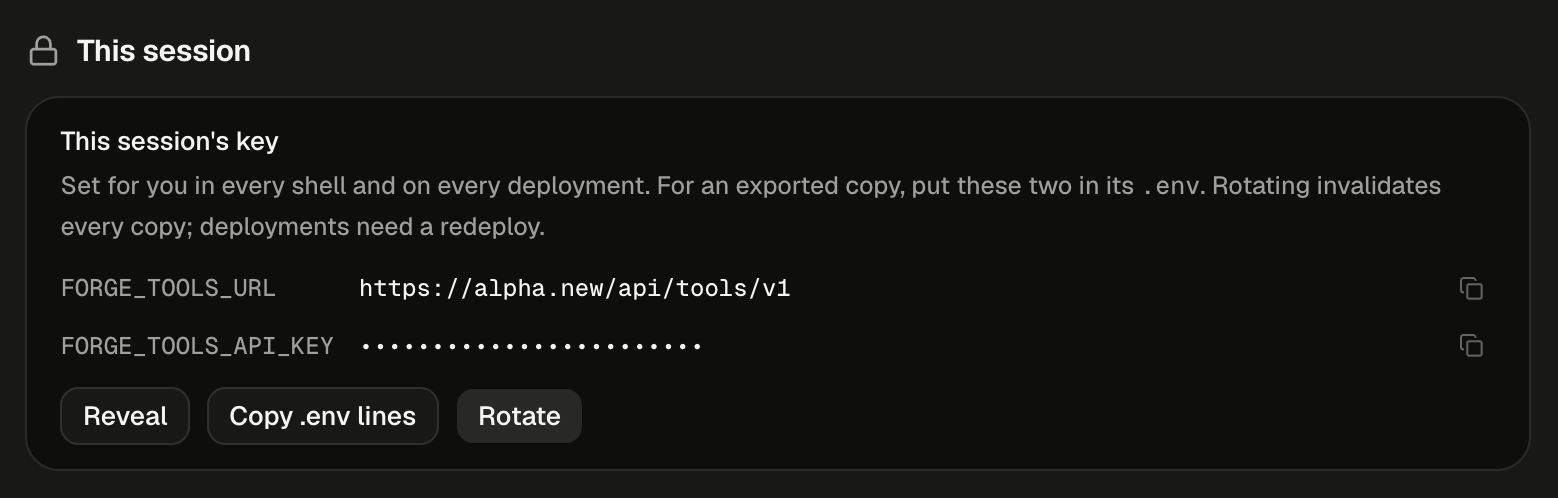
The key sits at the top of the session's Secrets tab, masked until you click Reveal.
If the card shows “tools gateway is disabled” instead of the key, the tools gateway isn’t turned on for your Alpha. Ask your administrator.
How does your app reach your connections?
Your app reads two variables,FORGE_TOOLS_URL and FORGE_TOOLS_API_KEY, and sends every call to Alpha’s tools gateway. The gateway holds your sign-ins, attaches the right one and calls the app. Your app never sees the app’s own token, so there is nothing to leak beyond the key itself.
The same code runs in all three places. Only the way the variables arrive changes:
Find this session’s key
The key card appears in two places. Both show the same key for the open session.- Secrets tab
- Integrations
In a session, open the workspace’s + menu and choose Secrets. The card This session’s key sits at the top, under This session. The tab is for the session’s owner Owner only. Viewers of a shared session don’t get it.
Run your app outside Alpha
When you download or push an app and run it on your own machine or host, it no longer gets the variables for free. Give it the two lines once.1
Copy the lines
On the key card, click Copy .env lines.
2
Paste them into the app's .env
Add them to the
.env file the app loads at startup. The address points at your Alpha, so the place you run the app must be able to reach it.3
Keep the key out of your repository
Alpha tells the agent never to write the key into a file. Instead, the agent lists both variables in
.env.example with empty values, so the code says what it needs without carrying the key. Keep .env out of version control.Rotate the key
Rotate issues a new key for this session and retires the old one at once. Every copy of the old key fails its next call, wherever it lives. It can’t be undone, and the old key never works again.
Deleting the session retires its key the same way.
How the agent calls your tools
You don’t write any of this by hand. Ask for the feature in plain words and name the connection. Alpha will:- Check which tools you’ve connected. If Slack isn’t one of them, it posts a card in the transcript with a button to connect it.
- Read the gateway’s contract and find the Slack tool it needs.
- Write code that reads
FORGE_TOOLS_URLandFORGE_TOOLS_API_KEYfrom the environment and calls that tool. - Name both variables, empty, in
.env.example.
GET /tools lists every tool you’ve connected, each with an id that names its connection and the parameters it takes. POST /tools/{id}/execute runs one, with the arguments in the body.
{"ok": true, "data": …} or {"ok": false, "error": {"kind": …, "message": …}}. An app’s failure can arrive with HTTP status 200, so the code checks ok, not the status.
The agent uses the same connections inside the session. While you have at most 100 connected tools, they appear directly in its tool list. Above that, it searches for the one it needs instead, so a long list doesn’t crowd its context. You don’t need to do anything either way. The commands it uses are listed in Inside a session’s machine.
What can the key reach?
The key speaks for you, for this one session, and for nothing else.
Because the key reaches all your connections, treat it like a password for your whole set of integrations. Narrowing a key to some connections isn’t possible.
Next steps
Connect an app
Sign in to Gmail, Slack or Notion once, and every session’s key can use it.
Republish after a rotate
A published app picks up the new key only on its next version.
Build an AI agent
Agents you build call the same tools with the same two variables.
Secrets
For a service with no connector, hand the app your own API key instead.